


At Dupli, we understand the importance of colour when printing, that’s why we offer a valued printer profiling service to ensure your print quality is to the highest standard. Whether you are a Dupli customer or just in need of some help, our services are open to all.
So, what are ICC Colour Profiles? To put it simply, ICC Profiles are digital files that help you get the correct colour reproduction across your devices and output systems when you input images from a device, and then display them on a screen or print them.
We offer free printer profiles for all Spectrajet Papers and, for a small fee of £15, provide profiles for all other inkjet paper brands.
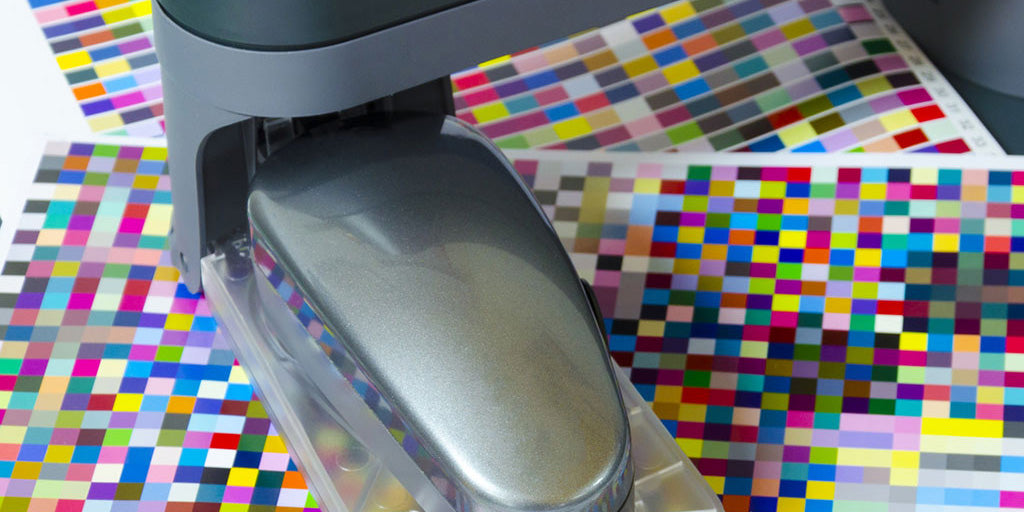
HOW TO PRINT YOUR COLOUR TARGET PATCHES FOR CUSTOM ICC PROFILES
The following instructions are based on Epson printers and drivers, but the recommended settings are mostly similar to the settings for printers from other manufacturers.
If you require any further help, please call the Dupli Technical Support Team on 0116 281 5741.

STEP ONE
Please ensure your printer has a clear nozzle check pattern before starting the process. If you require assistance with this, just give us a call!
STEP TWO
Download our ICC swatch template from here.
STEP THREE
Once downloaded please save to the desktop of your computer.
STEP FOUR
Please now download Adobe Print Utility from here.
STEP FIVE
Once you have extracted the contents of the ZIP file and saved the Adobe Colour Print Utility to a folder on your computer (following the install instructions on the Adobe website), run the Utility by double-clicking the Adobe Colour Printer Utility Exe file to open the application.
STEP SIX
When you see the request to 'Open a Tiff file' please open the first Colour Target Patch named 'Chart 800 Patches.tif' from the location you have previously downloaded it to.
STEP SEVEN
Then select 'Print Setup' in the Adobe Utility.
STEP EIGHT
Now click the 'Print' button, choose the correct printer for your profiling and click 'Properties' to apply the same printer driver property settings as before.
STEP NINE
In the printer driver settings select the media/ paper type that is the most similar to the paper you are using and print.
STEP TEN
Once printed, send your colour swatch to Dupli (address below) and we will create the ICC profiles for you.
Important note:
Before sending Dupli your printed Target Patches (on your paper/s of choice) please wait until they are completely dry, usually 2- 3 hours to be sure, before placing them together in an envelope.
DO NOT fold or write on the printed side of the paper target patch printouts.
DO NOT cut down or cut into any of the areas of the target patches on the A4 printed paper sheet.
PLEASE NOTE: No chat will be read without a completed ICC profile request form, sent with a profile swatch.
Postal Address:
Dupli Profiling Service Dept.
Standards House,
Meridian East,
Meridian Business Park,
Leicester,
LE19 1WZ
Frequently asked questions
What is a custom printer profile?
What is a custom printer profile?
Printer profiles, or ICC printer profiles as they are often referred to, are computer files that determine the colour quality of your prints when used with specific printers and papers.
When used jointly with editing or print software, such as Photoshop, they transform the image from the colour gamut (range) of the editing software to that of the printer and paper - the colour gamut is the range of colours laid down by the printer with the paper chosen by the user.
This means that the colours of the original image are taken and matched closely with the resulting print, allowing the printer to consider the whiteness of the paper being used and how the ink reacts to it, both of which can have a dramatic effect on the finished print.
How does a customised print profile help my print quality?
How does a customised print profile help my print quality?
As mentioned above, the customised profile collaborates information from the printer, the paper, and the ink to provide a consistent and accurate print, ensuring the colours are as close to the original image taken as possible.
What are the benefits to a printer profile?
What are the benefits to a printer profile?
Colour Consistency: ICC profiles ensure colour consistency across all devices and output systems by closely matching to the original image.
Printer-specific: ICC profiles are full of information about how your printer processes colour, meaning your printer can adjust appropriately.
Colour Output: ICC profiles help maximise the scope (gamut) of colours your printer can output.
Papers: ICC profiles help to match your prints across different types of paper.